Different actions to become an ambassador
and get free services.
Using text messaging
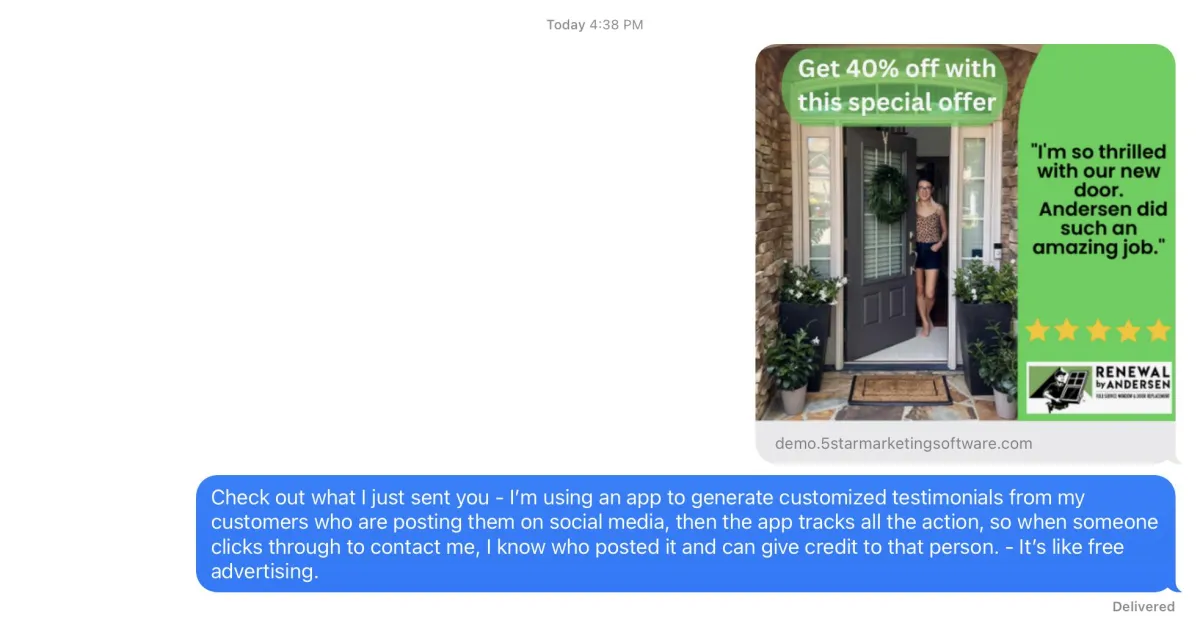
Use texting, so people can see what the app is doing in terms of creating the visual testimonial.
First create a testimonial and send it Facebook, copy the referral-rabbit URL and paste it in a text - you will see the image automatically appear as shown here.
Then explain what you are sharing, and offer to send them your referral link so you get credit if they become a customer.
Facebook or LinkedIn groups
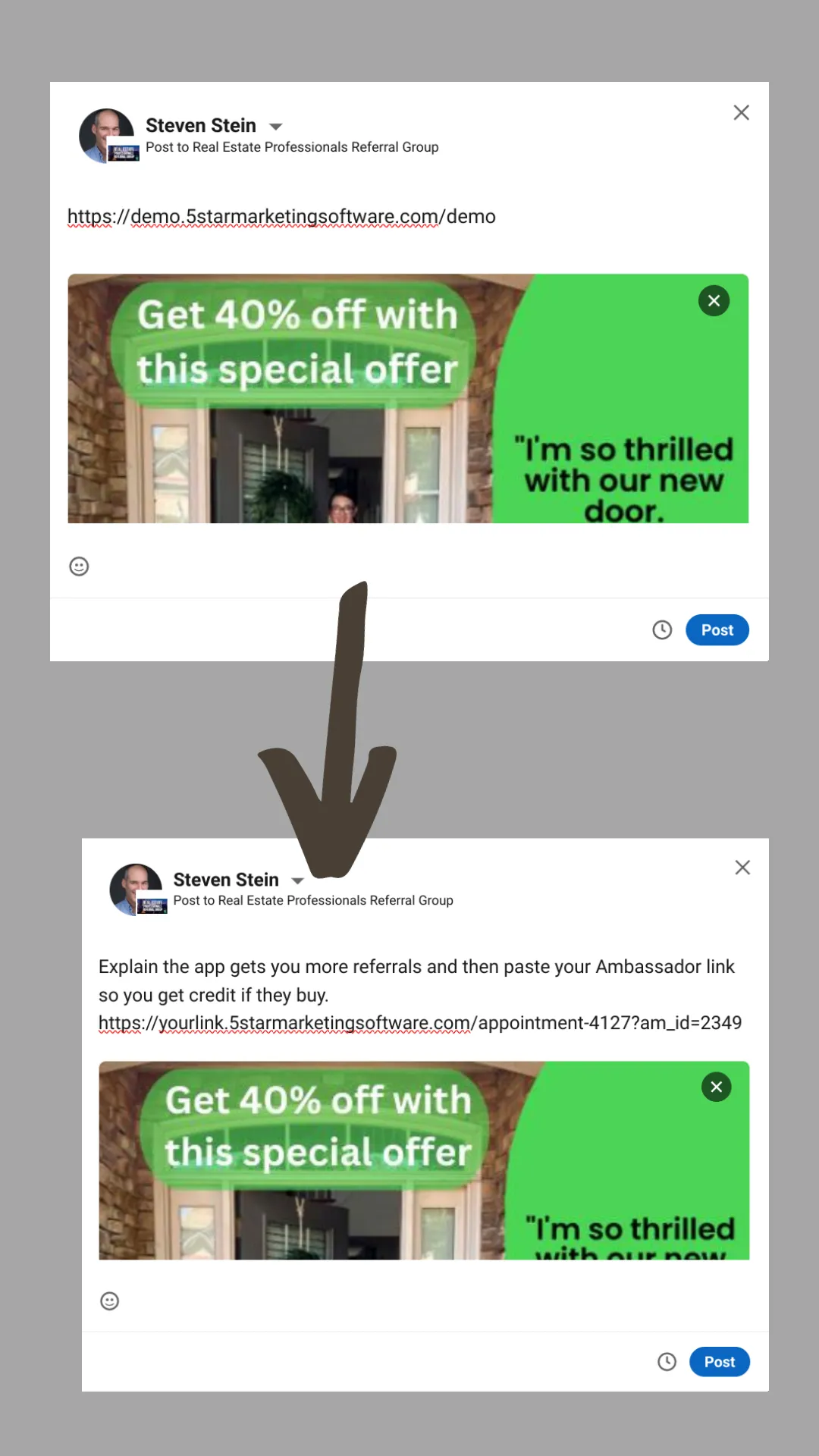
This technique can also be used when texting to people, but since many people will see this that do not know you we suggest sharing the Ambassador link up front - here's how.
First post the URL of the testimonial our system creates - that automatically brings up the image and the testimonial.
Once you see the image, you can delete the URL and replace it with text and your Ambassador URL.
Do this in your professional groups. The great thing about sharing in groups is you can present this to people across the world that are in your groups and you get full credit if anyone clicks through.
Networking groups, Friends and Family
Most people that see our system working live in real time are very impressed. So at a networking meeting, you can use the app as if the person you are talking to is a customer. Take their picture, have them leave a short testimonial, then generate it. In seconds they will get the link and have them click on it to show what happens. If they want more info share your Ambassador link through your personal mini website, or you might have it stored on your home screen.